Open and inspect
Import a JEF with the system file picker. See the stitch preview, actual dimensions, stitch count and hoop area.

In development
Ttrufle app 05
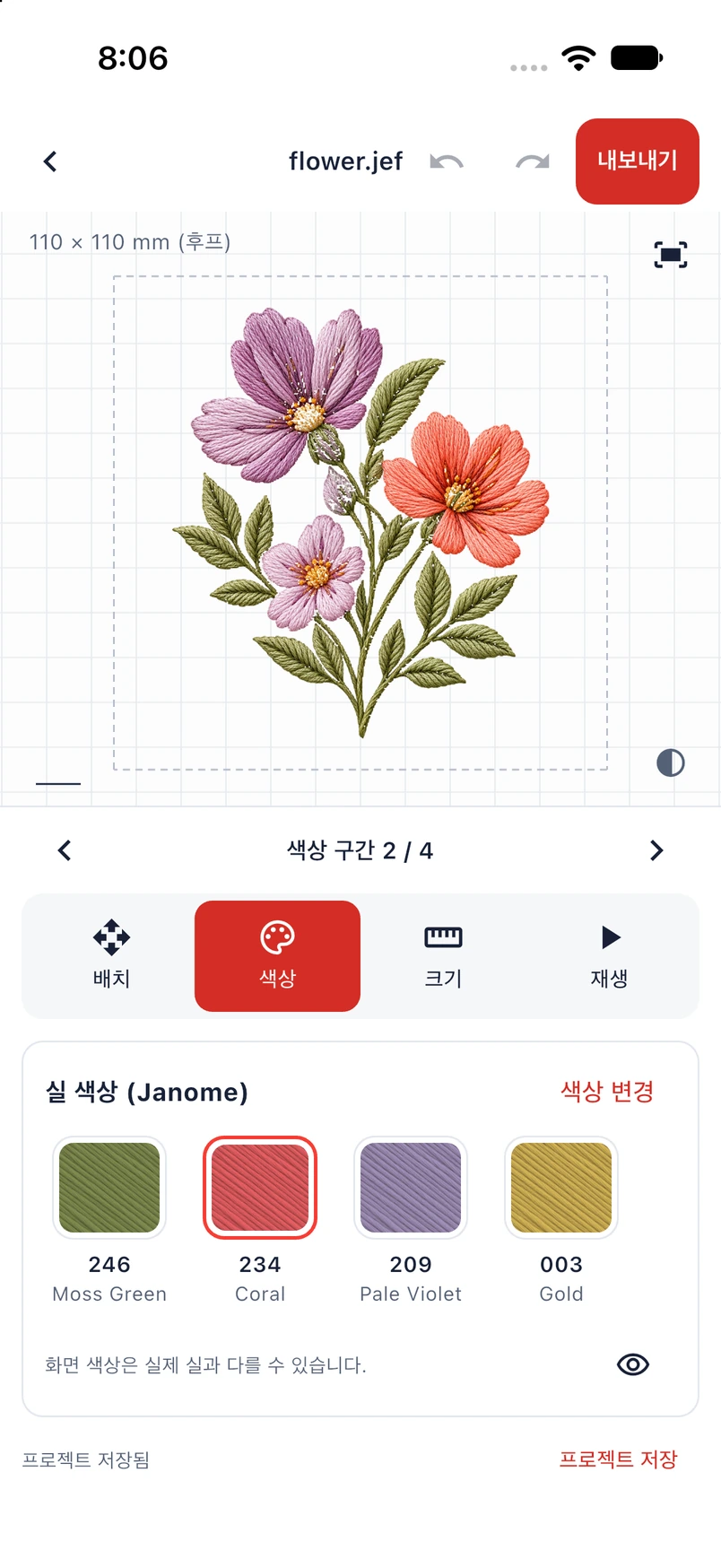
Open JEF embroidery files on your phone. Adjust the whole design, choose thread colours, preview the stitch sequence and save an edited JEF — in an offline workspace.
Not yet publicly available for download.
Import a JEF with the system file picker. See the stitch preview, actual dimensions, stitch count and hoop area.
Move, rotate, mirror and resize the whole design, with Undo and Redo. Resizing preserves stitch count; it does not recalculate stitch density.
Change supported thread colours, hide sections in the preview and explore the stitch sequence. Hiding a section does not remove it from the exported file.
Save a local project, reopen it later, and export a JEF through the system file-saving and sharing controls.
The current development app works without an account, cloud sync, ads or analytics. Projects are stored locally. Import, file saving and sharing use system controls after you choose them. Shared files are handled by the destination you select.
Ask a questionSilu is a 0.1.0 development app. Store distribution and physical embroidery-machine tests have not been completed. Sample designs demonstrate the interface; machine compatibility and embroidery quality need separate testing. Automatic digitising and wireless machine transfer are outside the current app.